Typing.com: A Practical Guide to Online Typing Lessons, Tests, Games, and Digital Skills

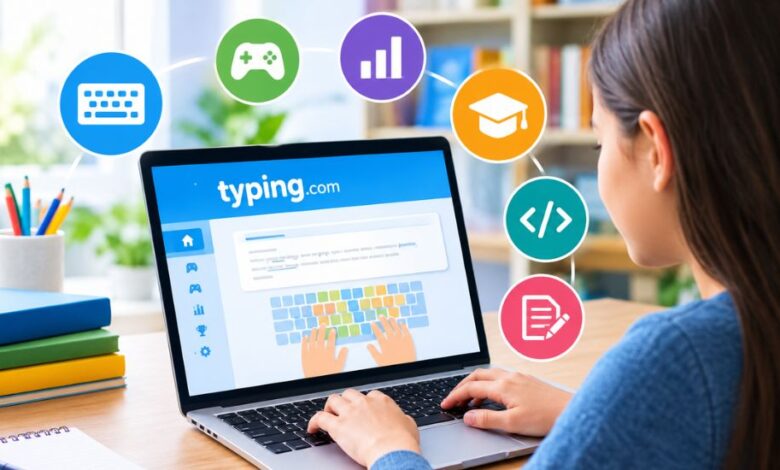
Learning to type efficiently is an important skill for students, professionals, and anyone who spends significant time using a computer. Typing.com brings typing lessons, practice exercises, tests, games, and broader digital-learning resources together in one online platform. Its structured approach is designed to help beginners develop keyboard familiarity while giving more experienced learners opportunities to improve speed, accuracy, and confidence.
What Is Typing.com?
Typing.com is an online typing tutor and digital literacy platform designed primarily for students, teachers, schools, and individual learners. The service began with a focus on keyboarding education but has expanded into a broader collection of technology-related courses.
Its learning system combines guided lessons with practice activities, assessments, games, and progress tracking. Rather than simply measuring how quickly someone can type, the platform introduces keyboard skills progressively and allows learners to build accuracy before concentrating heavily on speed.
The service is particularly suited to educational environments because teachers can create classes, assign activities, monitor progress, and review student performance from a centralized dashboard.
Typing.com Lessons for Beginners
One of the central features of the platform is its structured keyboarding curriculum. Beginners can start with basic computer and keyboard concepts before gradually learning individual keys and combinations.
The lessons cover areas such as:
- Home-row positioning
- Letter keys
- Capitalization
- Punctuation
- Numbers
- Common words
- Vocabulary
- Reviews and assessments
The progression is intended to help learners develop touch-typing habits instead of relying on looking down at the keyboard for every keystroke.
The curriculum also accommodates different age groups. Grade-based material is available for learners from kindergarten through high school, while an adult curriculum provides an option for older beginners and returning learners.
Typing Practice and Adaptive Learning
Regular practice is essential when developing keyboard skills. The platform provides exercises that allow students to reinforce recently learned keys and identify areas where additional work may be needed.
One particularly useful feature is adaptive practice. The system can identify problem keys and provide additional exercises around them. This approach can make practice more targeted because a learner does not necessarily need to spend equal time on every key.
The platform also includes TypeAI-related practice features that can create additional typing activities around problem areas. For learners who repeatedly struggle with particular letters or combinations, targeted practice can be more useful than simply repeating the same general exercise.
Typing Tests and Speed Measurement
Typing tests provide a way to measure progress over time. Learners can use timed exercises to see how their speed and accuracy develop as they become more comfortable with the keyboard.
A typing speed test generally considers two important measurements: words per minute and accuracy. A high speed accompanied by frequent errors is less useful than a balanced result showing both reasonable speed and reliable accuracy.
Teachers can also use custom tests for classroom assessment. This makes the testing feature useful beyond casual practice, particularly when educators want students to type specific passages or vocabulary.
Typing Games Make Practice More Engaging
Traditional typing drills can become repetitive, especially for younger students. Typing games address this issue by turning keyboard practice into more interactive activities.
Games can encourage learners to react quickly while concentrating on correct keystrokes. The competitive or playful elements may also provide a change of pace from conventional lessons.
However, games work best as a supplement to structured learning rather than a complete replacement for lessons. Learners still benefit from understanding finger placement, practicing difficult keys, and completing progressive exercises.
Typing.com for Students
Students can use the platform to develop keyboarding skills at different stages of their education. The grade-based curriculum allows teachers and schools to select material that is appropriate for their students’ age and learning level.
A typical learner may begin with basic keyboard familiarity and gradually move toward punctuation, numbers, vocabulary, and more complex passages.
The platform also includes achievements and certificates that can provide students with visible milestones as they progress through their lessons.
For students who are already comfortable with basic typing, additional practice and testing can help them concentrate on speed and accuracy rather than starting from the beginning.
Typing.com for Teachers and Schools
Teachers are an important part of the platform’s educational model. Instead of requiring educators to monitor every student’s activity manually, the teacher dashboard provides tools for managing classes, assigning work, and reviewing progress.
Educators can create custom lessons and tests using their own material. For example, a teacher could turn a vocabulary list, reading passage, or subject-specific text into a typing activity.
Progress monitoring can also help educators identify students who may need additional practice. This classroom-oriented approach makes the service more than an ordinary typing website because it connects individual practice with organized instruction.
Beyond Keyboarding: Digital Skills and Coding
The platform has expanded considerably beyond traditional keyboard instruction. Its broader curriculum includes digital citizenship, technology foundations, AI literacy, computer applications, creative writing, coding, computational thinking, and test preparation.
Coding resources introduce concepts and technologies including HTML, CSS, and JavaScript. Computer application material can also introduce learners to common productivity tasks involving documents, spreadsheets, and presentations.
This broader direction reflects the fact that keyboarding is only one part of modern computer literacy. Students increasingly need to understand digital safety, productivity tools, online behavior, and basic technology concepts alongside typing.
Free Version and PLUS Features
A major attraction of the service is that its core Learn to Type curriculum is available through a free edition. This provides access to lessons, tests, and games without requiring users to purchase a subscription.
The free version is advertising-supported, while the PLUS edition adds additional features and curriculum options.
PLUS can provide access to areas such as digital citizenship, AI literacy, computer applications, coding, creative writing, cross-curricular activities, and test preparation. It also adds classroom management features, including assignments, automated grading, monitoring tools, and additional customization options.
For an individual learner interested mainly in basic keyboarding, the free curriculum may provide a substantial starting point. Schools and teachers looking for broader classroom functionality may have different requirements.
Privacy and Student Considerations
Student privacy is particularly important when educational platforms are used in schools. Typing.com states that students do not need an email address to use the service and highlights security and privacy measures on its website.
Teachers and parents should nevertheless review the platform’s current privacy policies and terms before introducing it into an educational setting. Requirements can vary depending on the age of students, school policies, and local regulations.
It is also useful to distinguish between statements made by the platform itself and independently verified assessments. Claims about features, data practices, or curriculum should be checked against the provider’s current documentation.
Is Typing.com Useful for Learning to Type?
Typing.com offers a combination of structured instruction, repeated practice, assessments, games, and progress tracking. That makes it suitable for learners who prefer a guided path rather than simply taking occasional speed tests.
Its greatest value may be for beginners and educational environments where teachers need tools for organizing keyboarding instruction. More experienced typists can also use timed tests and targeted practice to work on accuracy and speed.
Ultimately, progress depends on consistent practice and correct technique. An online course can provide the exercises and structure, but learners still need regular practice to turn those lessons into lasting keyboard skills.
Final Thoughts on Typing.com
Typing.com has developed from a conventional online typing tutor into a broader digital-learning platform that combines keyboarding with technology education, coding, AI literacy, and classroom tools. Its mixture of free typing lessons, games, tests, adaptive practice, and teacher resources makes it relevant to both individual learners and schools. For readers of USChronicle, it is worth viewing the platform not simply as a typing-speed website, but as an educational resource that connects keyboard skills with wider digital literacy.